← All work
AI infrastructure Design system Design consulting

National AI Platform

An open-source AI platform from Sharif University's Advanced ICT Research Institute. On one side, an AI assistant. On the other, the compute, models and APIs that organisations build on. One design system covers both.
Led design part-time for nine months · now advising
assistant
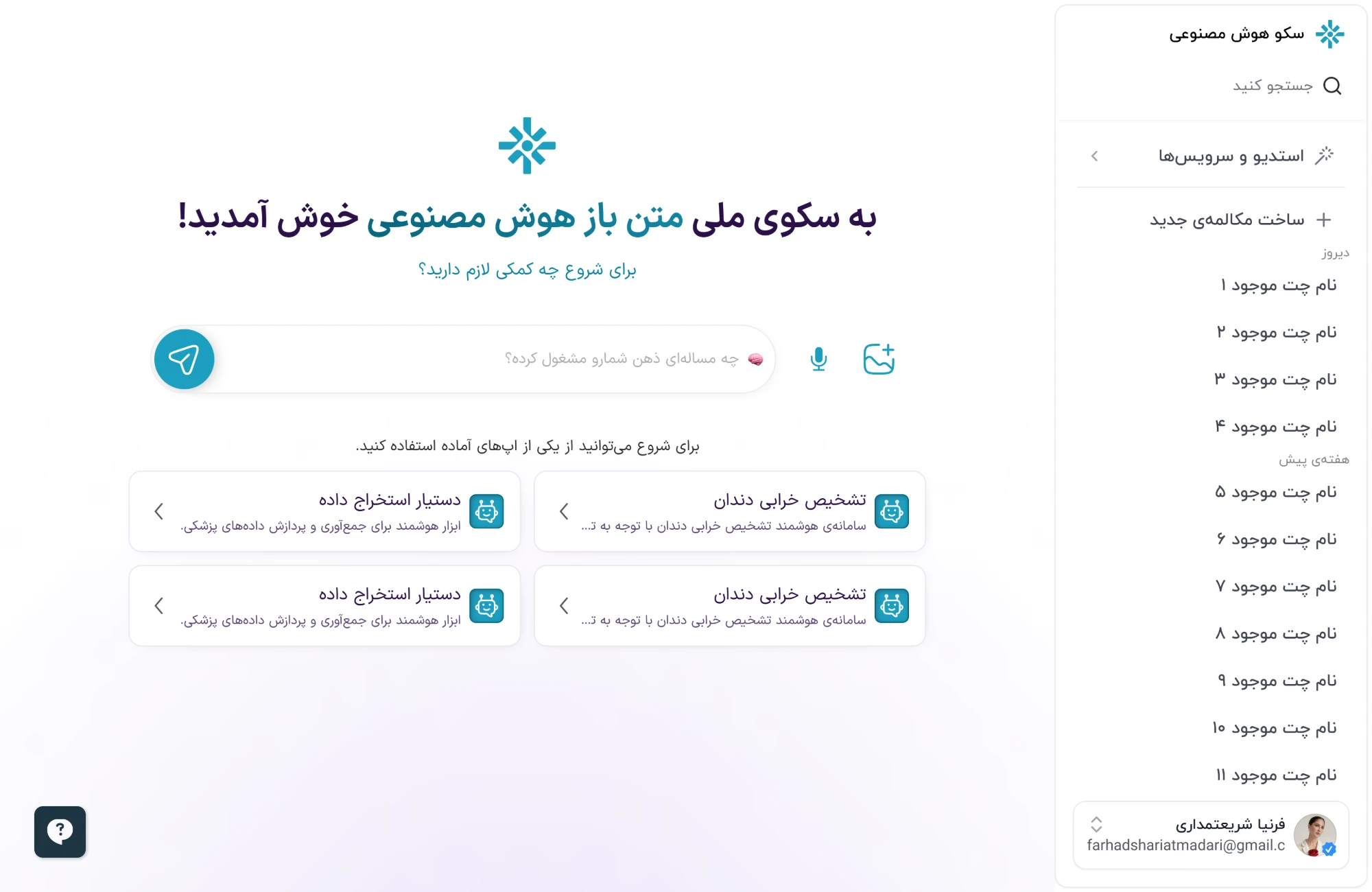
The platform's assistant home, in Persian: a welcome line, a prompt with voice and image input, ready-made AI apps to start from, and chat history in the sidebar
studio · infrastructure
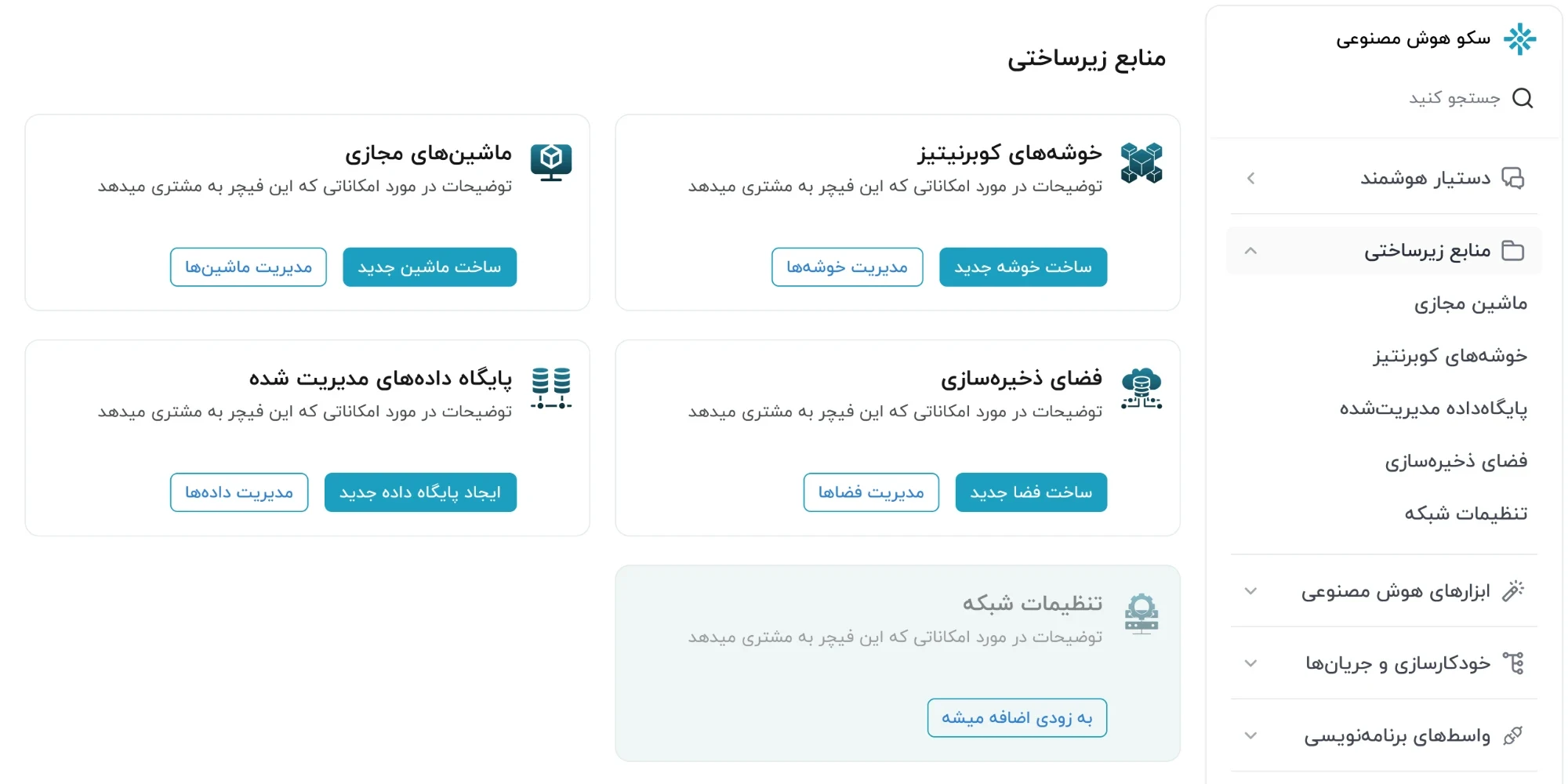
The platform's studio, infrastructure resources: Kubernetes clusters, virtual machines, storage and managed databases, each with create and manage actions, and network settings marked as coming soon
[ national ai platform · assistant & studio ] persian · right to left · desktop web
// context & role

Two kinds of user on one platform: people who want an answer from an AI assistant, and teams who build their own AI services on its compute, models and APIs.

I led the platform's design part-time, for nine months. I built one design system across every admin panel and set the product's direction until its teams could carry it on with the system alone. Once the heavy design work was done, I moved to an advisory role, and I still own design there.

Assistant
Chat, voice, ready-made apps
Infrastructure
VMs, Kubernetes, databases, storage
APIs
Keys, testing, SDKs, docs
Marketplace
Ready-made models, datasets
Institute
Advanced ICT Research Institute, Sharif University of Technology
Role
Lead Product Designer & Design Consultant (contract)
Period
Feb 2025 – present
// key work

One system, from a chat box to a Kubernetes cluster.

Every screen here is built from the same parts: one sidebar with search at the top and the account switcher at the foot, one card, one pair of filled and outlined buttons, and the help button in the same corner. A person asking the assistant a question and an engineer creating a cluster are in the same product.

→ building on it

Teams that build on the platform find everything in one section: keys, a place to test calls, SDKs and the docs. The public API reference keeps its Persian prose right to left but runs code, keys and parameters left to right. The request schema sits in the middle and copyable samples beside it.
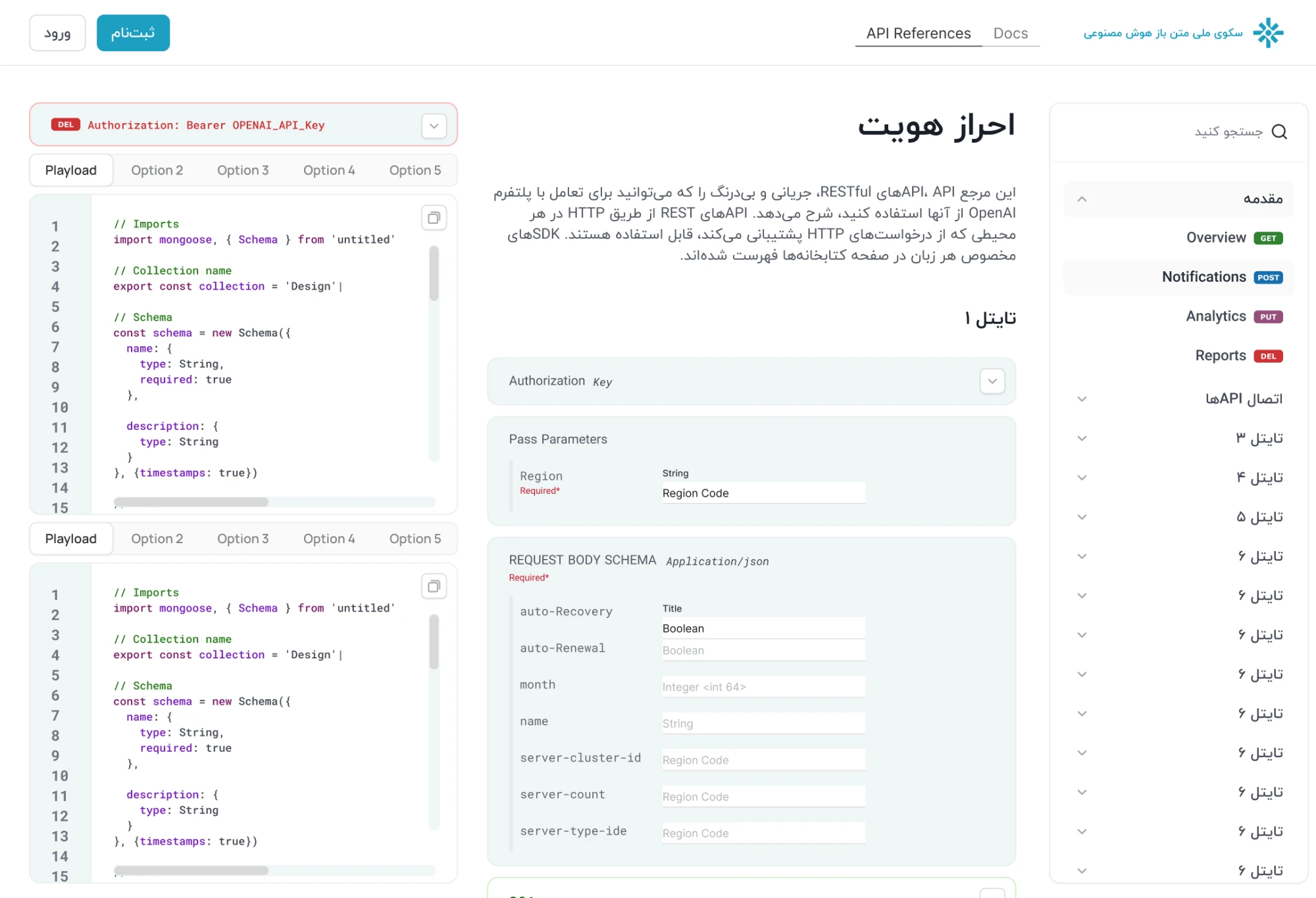
The platform's public API reference: endpoints tagged GET, POST, PUT and DEL in the sidebar, the authentication page with its parameters and request body schema, and code samples with copy buttons
api referenceEndpoints tagged by method on the right, parameters and the request schema in the middle, the header and code samples on the left.
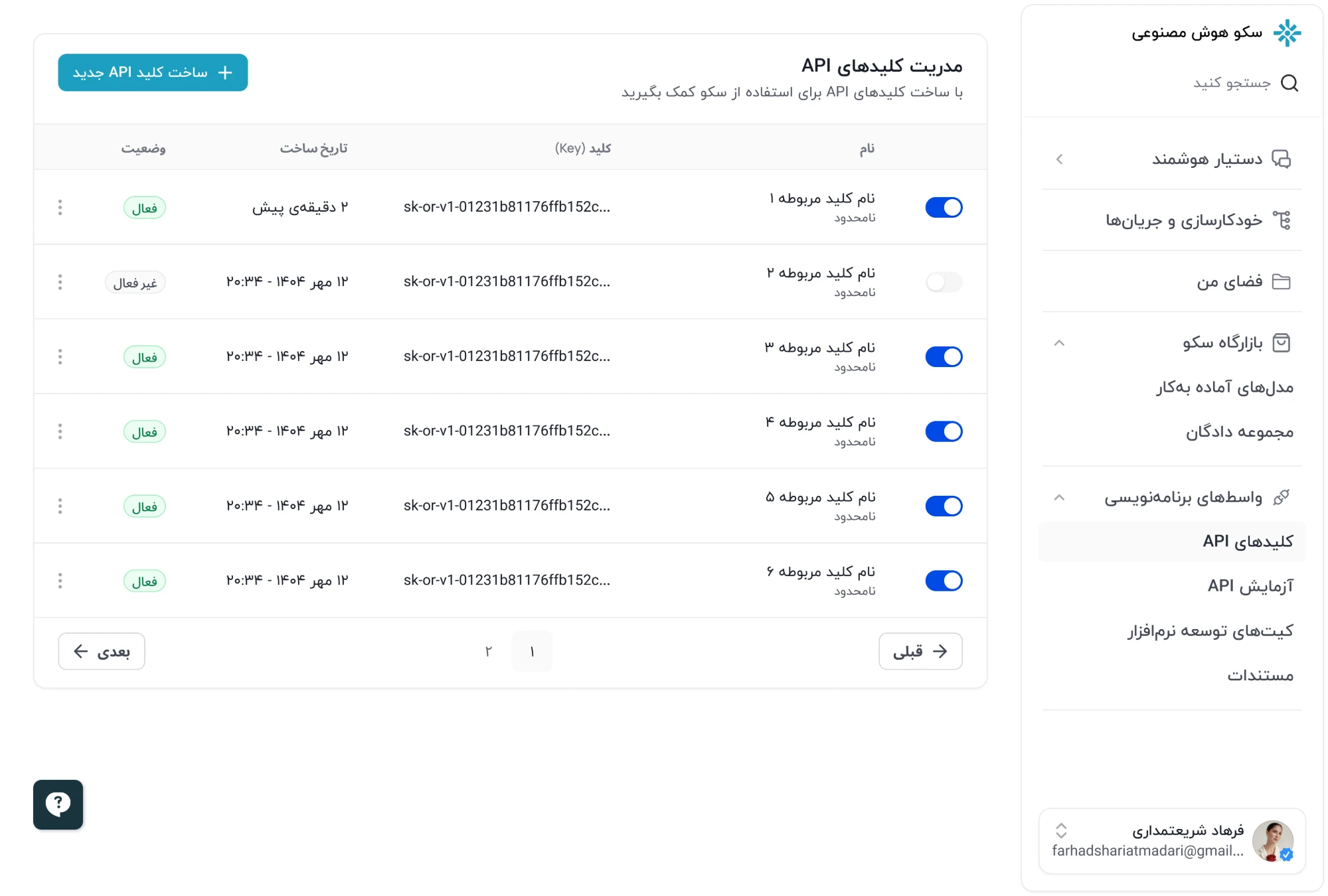
API key management: a table of named keys with their usage limit, the truncated key, when each was created, an on/off toggle and an active or inactive status, with pagination below
api keysEach key named, with its usage limit and a toggle beside its status. A new key reads "2 minutes ago" rather than a timestamp.
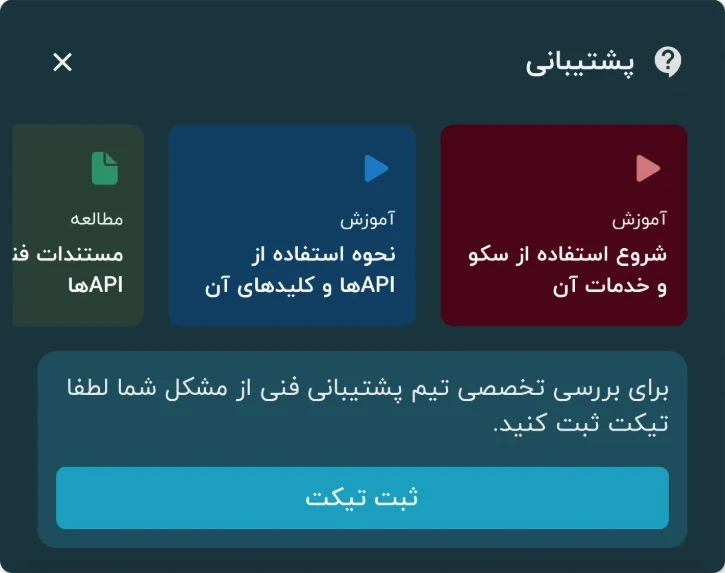
The help panel: video tutorials on getting started and on using APIs and keys, a link to the API docs, and a button to open a support ticket
helpThe help button opens short video tutorials and the API docs, and a support ticket when those don't answer it.
→ organisations first

Accounts belong to organisations, so sign-up ends on one question: which one are you with? By then a person may already be a member somewhere, hold an invitation, have asked to join one, or have created one that an admin hasn't approved yet. The picker shows all of it in one list. Adding an organisation means creating one or asking to join an existing one, and either way it waits for an admin.
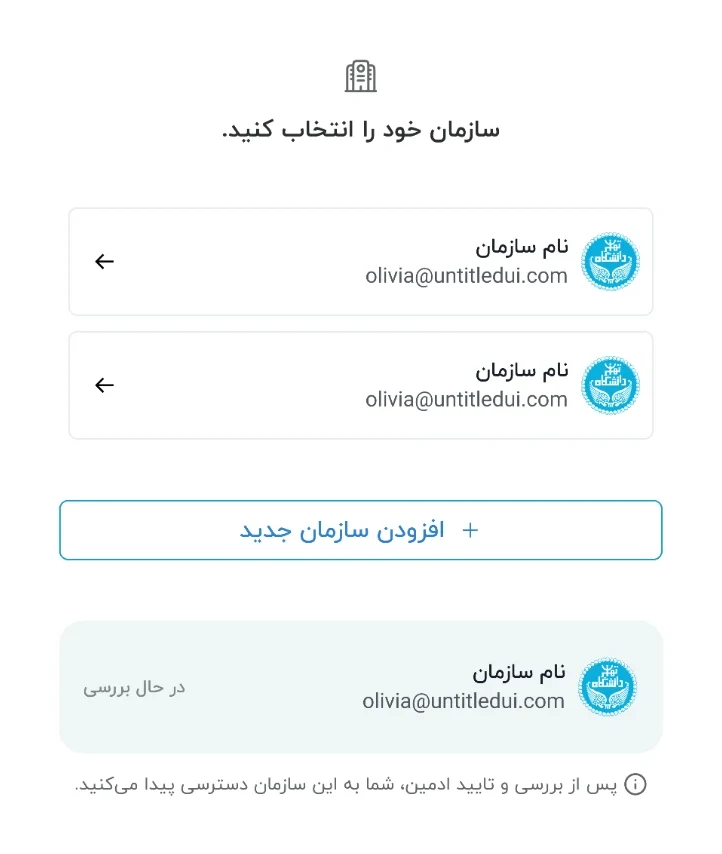
Choosing an organisation after sign-up: two organisations to enter, a button to add a new one, and below it an organisation still under review, with a note that access follows an admin's approval
choose an organisationAnything still waiting sits under the add button, marked "under review", with a line on what happens next.
four states, one screen
01
Already a member

Each organisation is one row: pick it and go in.

02
Created one, waiting for approval

It goes under the add button, so it never sits among the ones you can enter.

03
Asked to join one, waiting for approval

Listed under the add button too, marked as a request.

04
Holding an invitation

It leads the list, with accept and decline on the row itself.

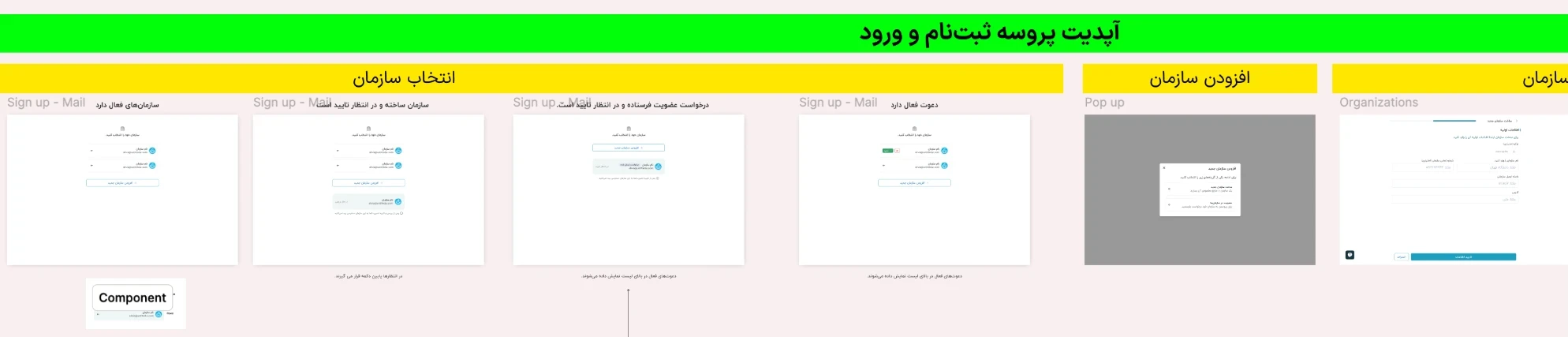
The Figma handoff file for the sign-up update: a section per step (choosing an organisation, the add-organisation pop-up, the new organisation's form), each state as its own frame with its rule written underneath, and the organisation row pulled out as a component
handoff file · figmascroll →The sign-up update as engineering received it: one section per step, every state as its own frame with the rule written under it, and the organisation row pulled out as a component.
// back to the start
Trio
Enterprise device management, from a solo MVP to a full platform.
View case →