← All work
E-commerce Merchant platform Design system

Vendora

Leading two senior designers on a commerce platform for merchants, built in-house.
vendora · merchant panel
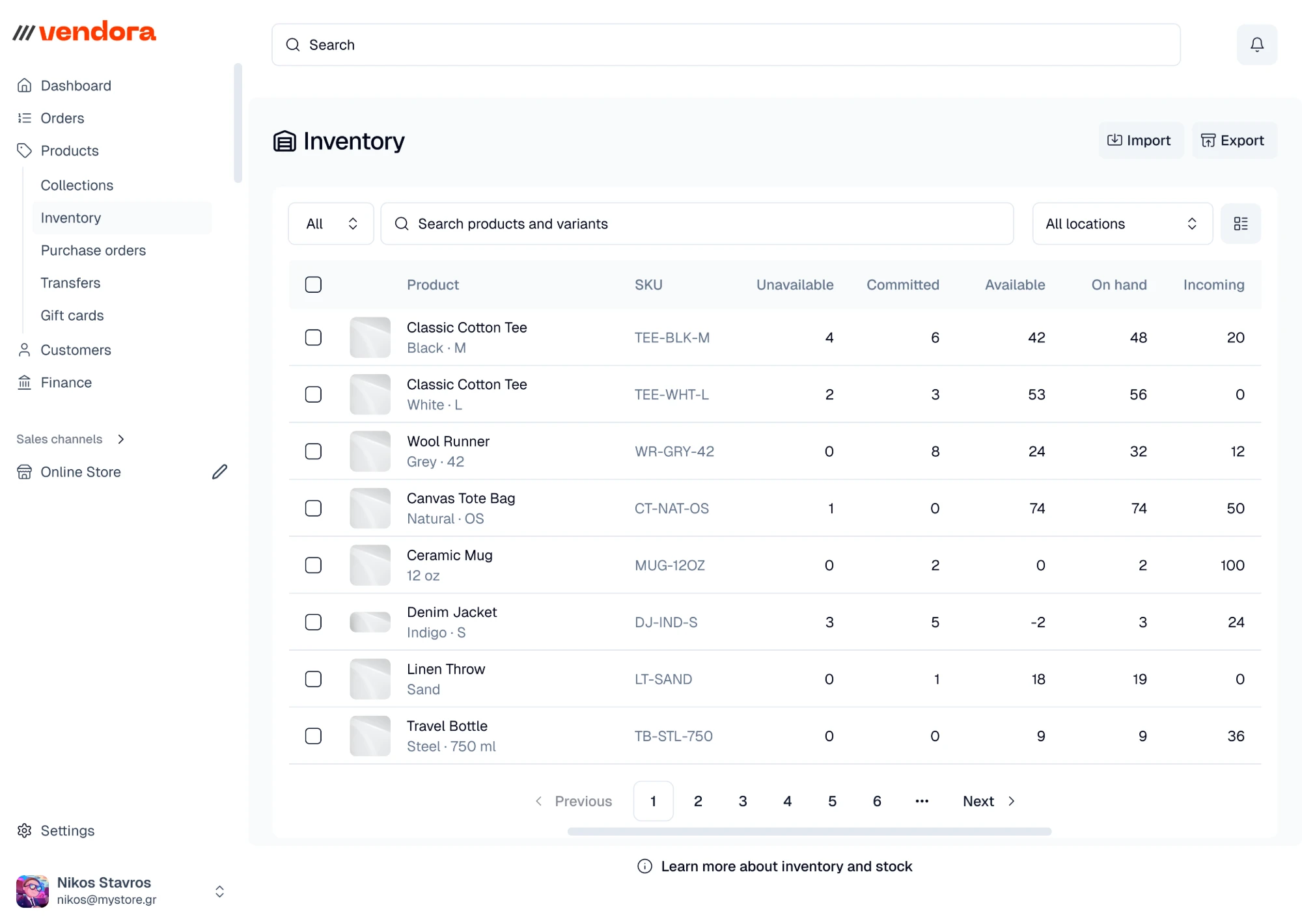
Vendora merchant panel — the inventory table, with unavailable, committed, available, on-hand and incoming stock for each variant, filterable by location
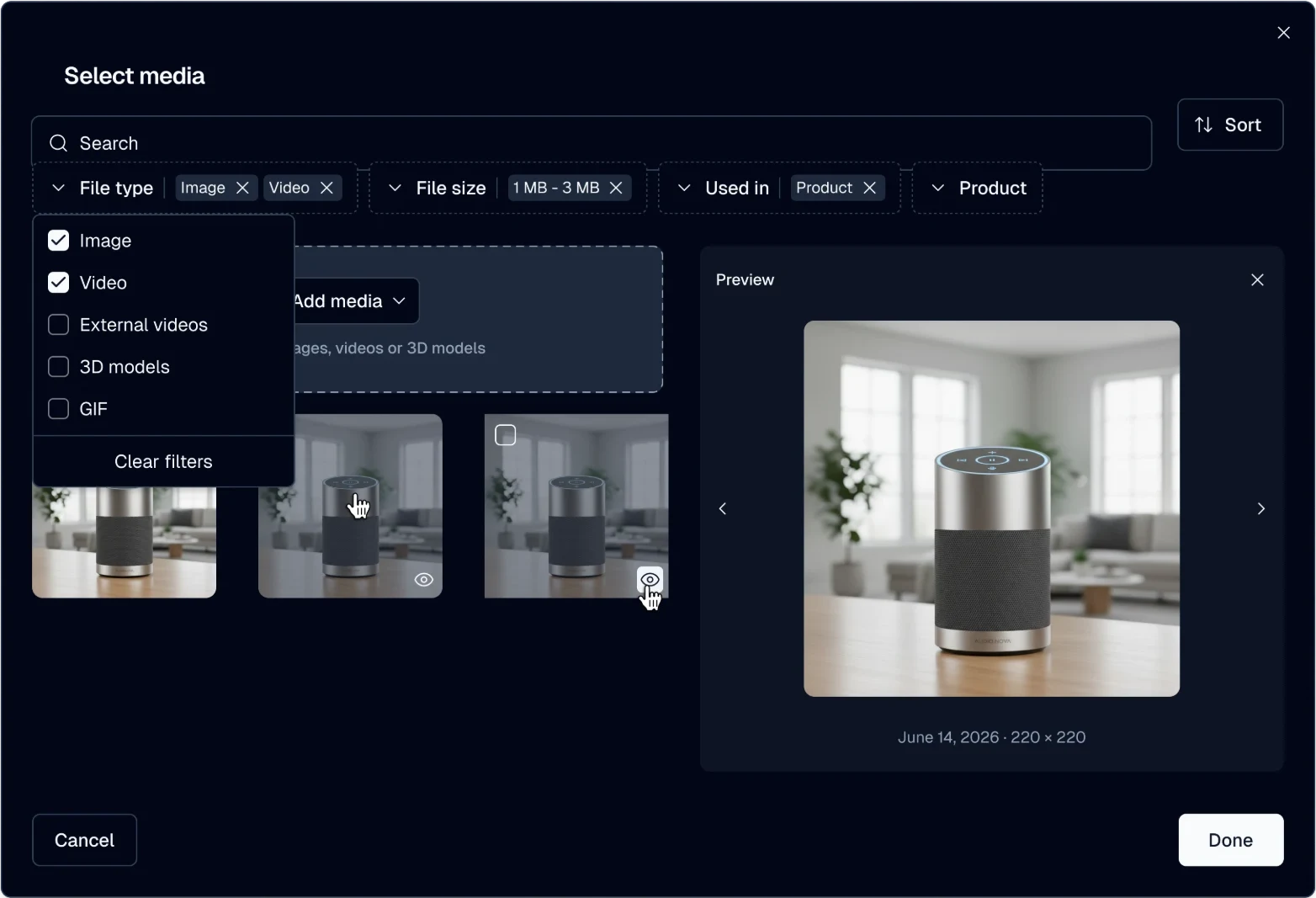
Vendora media library in dark theme — files filtered by type, size and where they're used, with a preview beside the grid
[ vendora · inventory & media library ] light & dark themes
// context & role

An end-to-end e-commerce site-maker — merchant panels for products, collections, customers, and orders — built in-house from scratch, with crypto-commerce support.

The design director promoted me to lead its two senior designers: I plan each sprint with the PMs, set priorities, assign the work, and review every handoff. The design covers the merchant-facing panels: table views, record management, forms, and bulk actions — the operational heart of a commerce back office.

Company
Circle One
Role
Design lead · 2 senior designers
Period
Feb 2025 – present · part-time for the first weeks, during the SternX handover
// problem

Build the back office merchants expect, from scratch.

A new commerce platform has to match the operational depth merchants expect: dense table views, fast record management, forms and bulk actions that hold up under real catalog sizes — plus first-class crypto-commerce. All of it built in-house from scratch.

// approach

A mature two-tier system, wired straight to code.

01
Lead two senior designers on the merchant panels

Table views, record management, forms, and bulk actions — the operational heart of a commerce back office.

02
Own a mature two-tier design system

A foundation library plus a custom component layer — 55+ production components, four theme modes (light/dark × two bases), a 1,500+ icon set, and full crypto asset libraries.

03
Handoff through Figma → GitHub, Code Connect live

Design tokens map 1:1 to the Tailwind / shadcn code implementation, with Code Connect in active use.

// key work

The merchant panel: tables, records, and setup.

→ filters & views

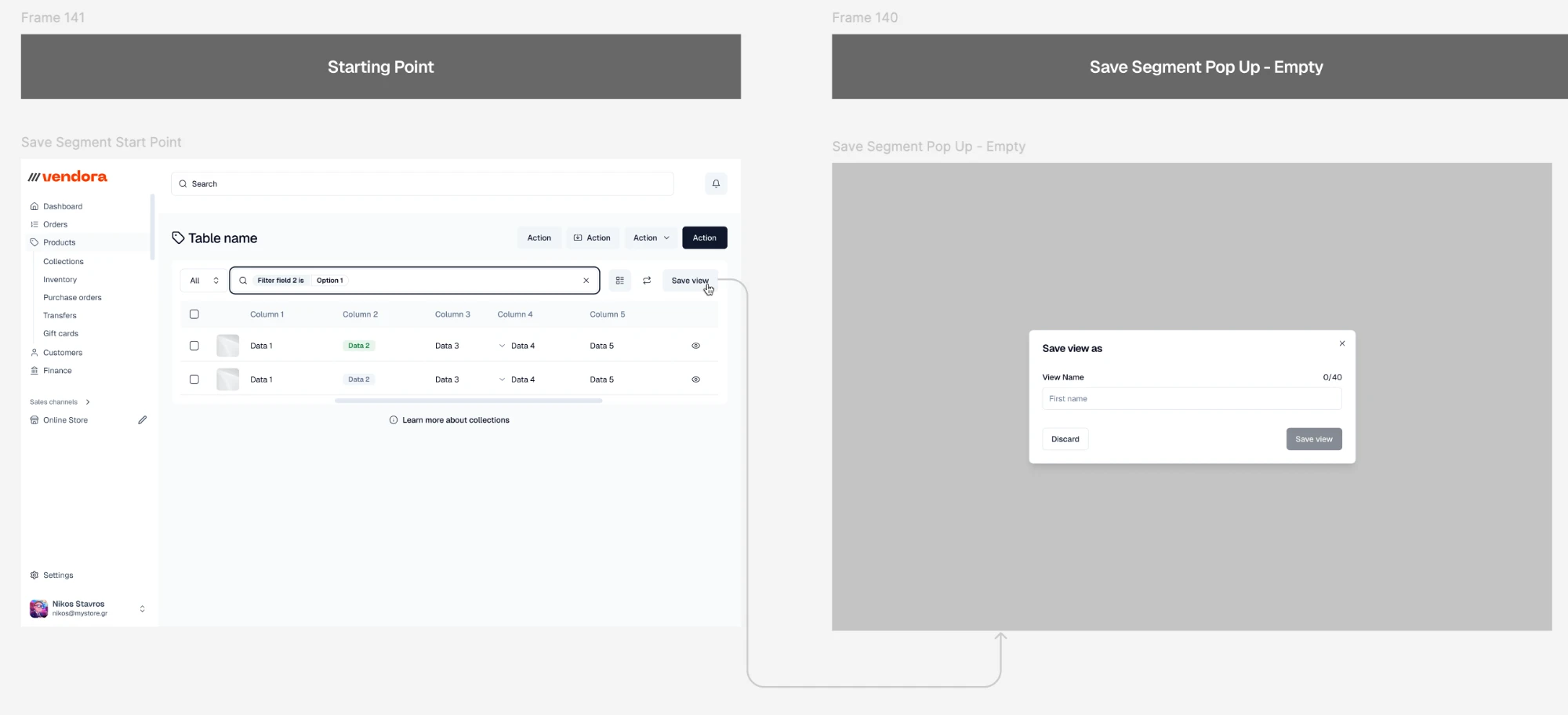
Most of the panel is tables: orders, products, inventory, customers. Filtering was designed on a generic table, state by state. Filters sit inside the search field as tags, each one a field, one or more of its options, and is or is not. A filtered table can be saved as a named view. On tablet and phone nothing can be hovered, so there a tag's remove icon is always visible.
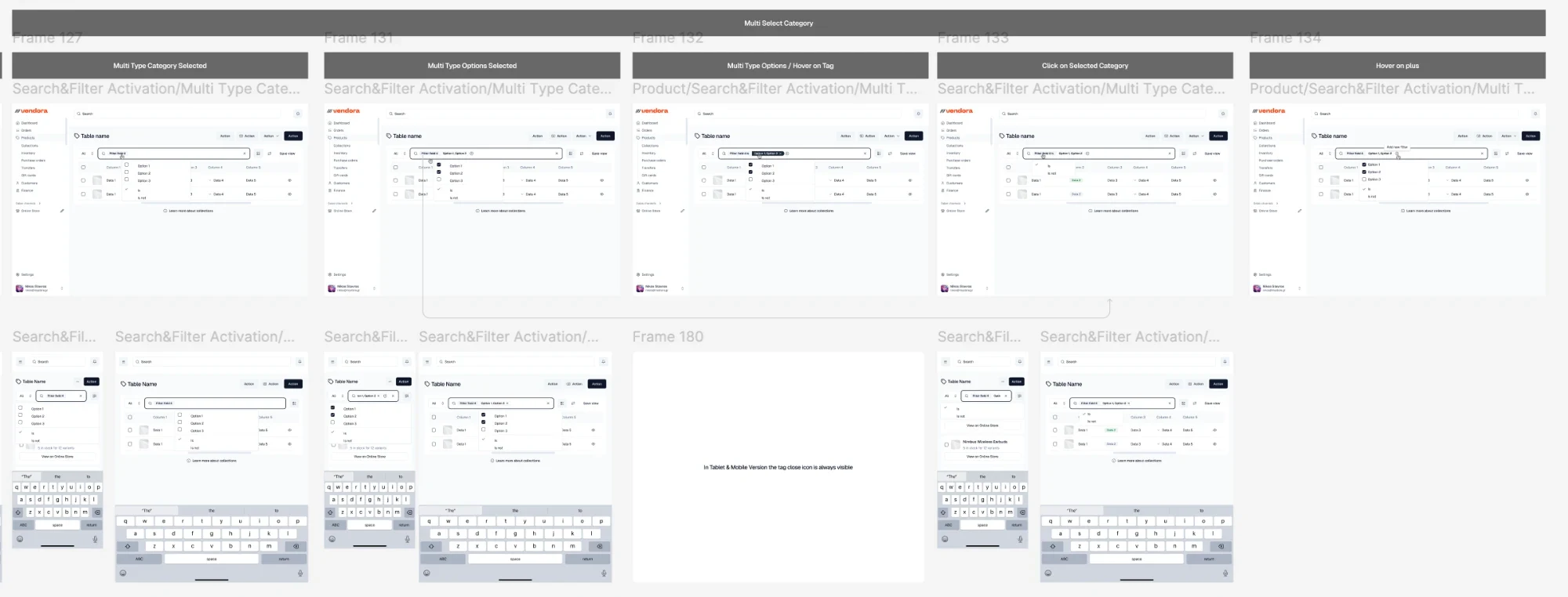
Figma board of Vendora's table filter states — choosing a field, ticking its options, hovering a tag, reopening a filter, adding another — on desktop, then on phone and tablet with the keyboard up
01 · filter statesA field picked, its options ticked, a tag hovered, a filter reopened, another added. Below, the same steps on phone and tablet, with the keyboard up.
Figma board — a filtered table's Save view button opening the Save view as dialog, with a name of up to 40 characters
02 · save viewSave view sits beside the search. The name takes up to 40 characters, and the button stays off until there is one.
→ records

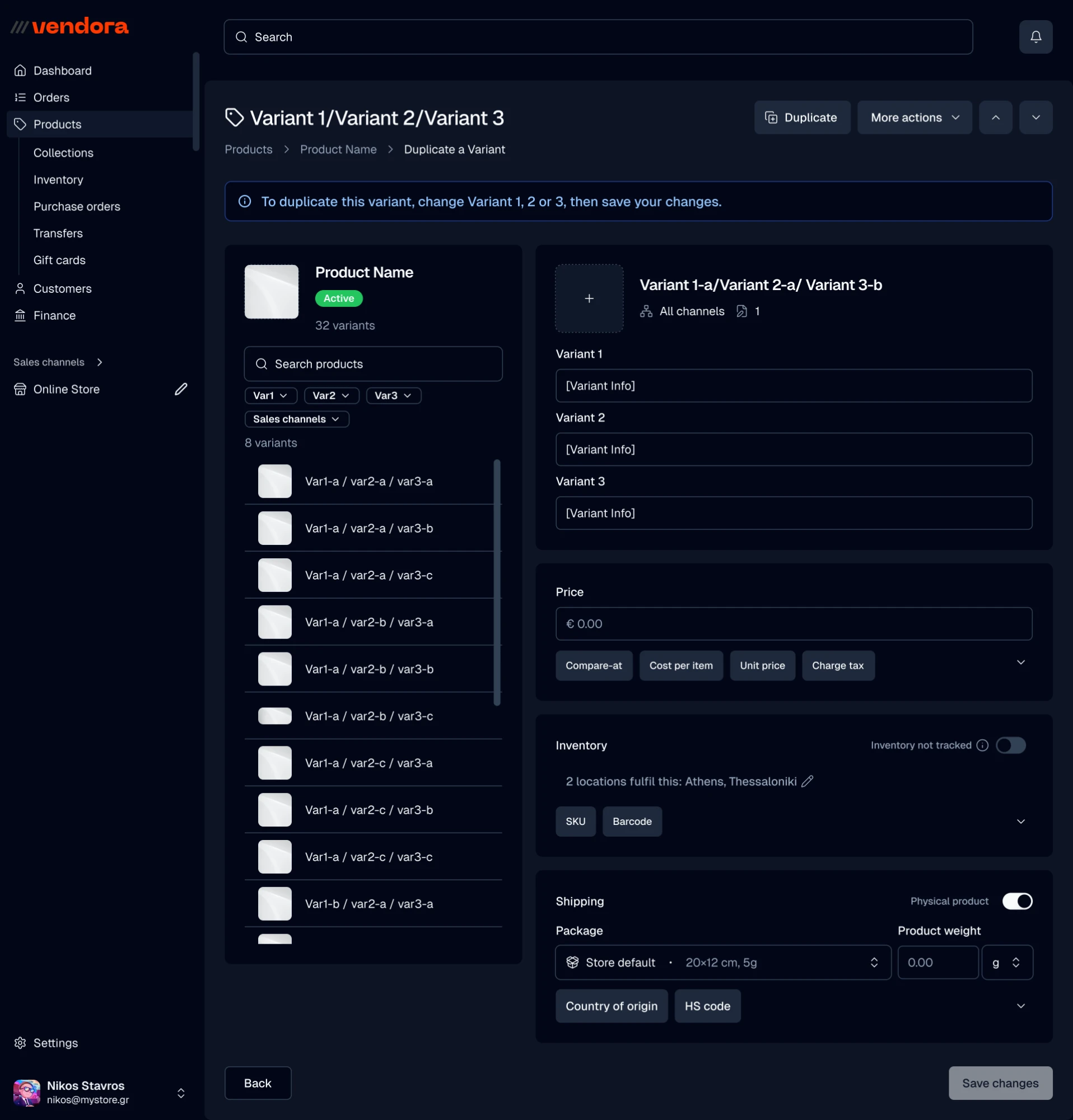
Every record opens in the same frame: its title and actions on top, a breadcrumb back, a card for each concern, and Back and Save at the foot. A collection keeps its products, publishing and theme template on one page. A product with 32 variants gets a two-pane editor: the variants on the left, narrowed by each option, the selected one on the right. Optional fields wait folded as chips, from compare-at price to HS code, so a form starts short.
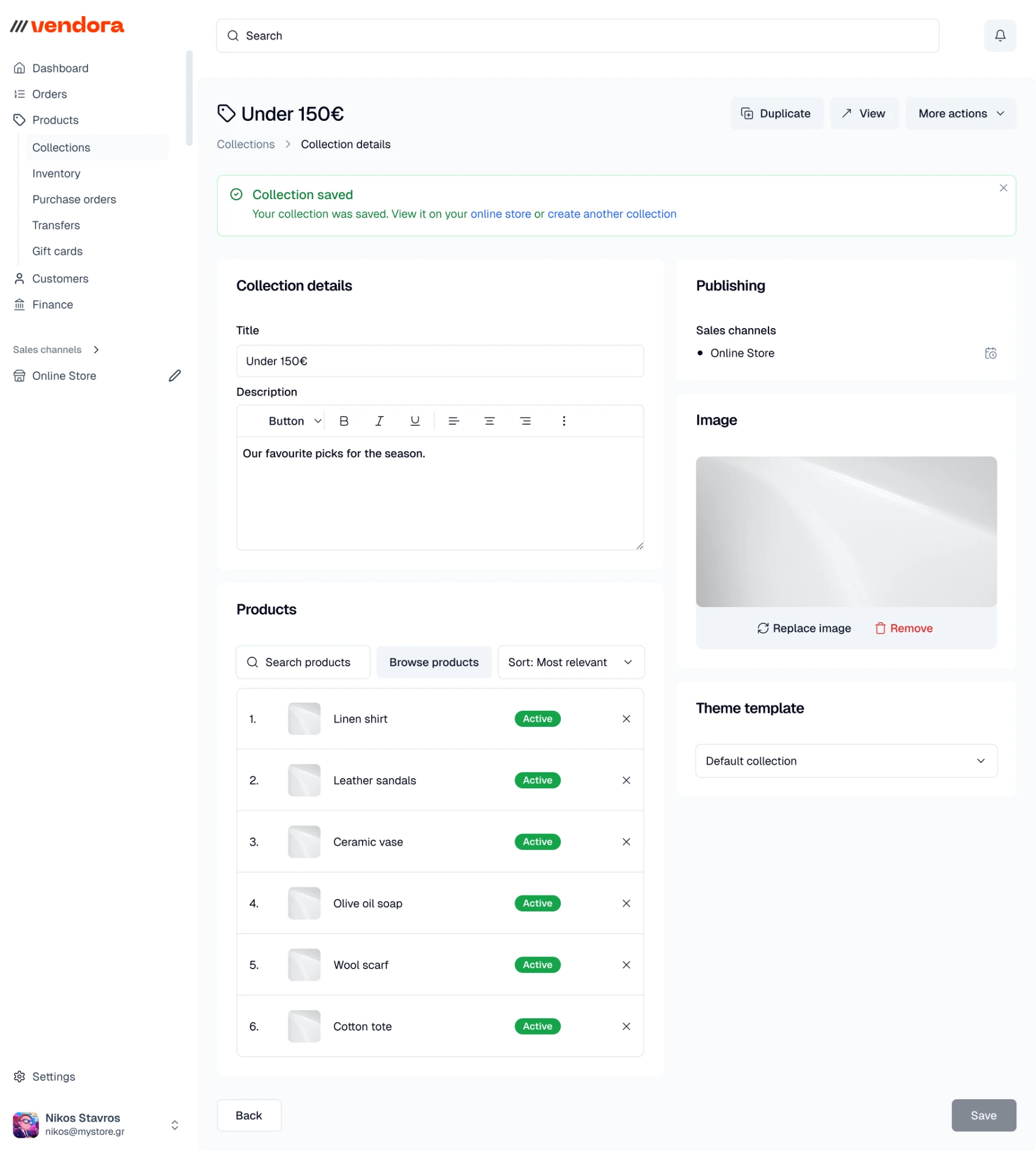
Vendora collection page after a save — title, description, its products in order, publishing channels, image and theme template
01 · collection · lightAfter a save, the banner offers the two likely next steps: see it in the store, or make another.
Vendora variant editor in dark theme — the product's 32 variants listed and filtered by option on the left; price, inventory and shipping for the selected one on the right
02 · variant · darkDuplicating a variant: change any of its three options, then save. The same frame and cards, in the dark theme.
→ sign-up & settings

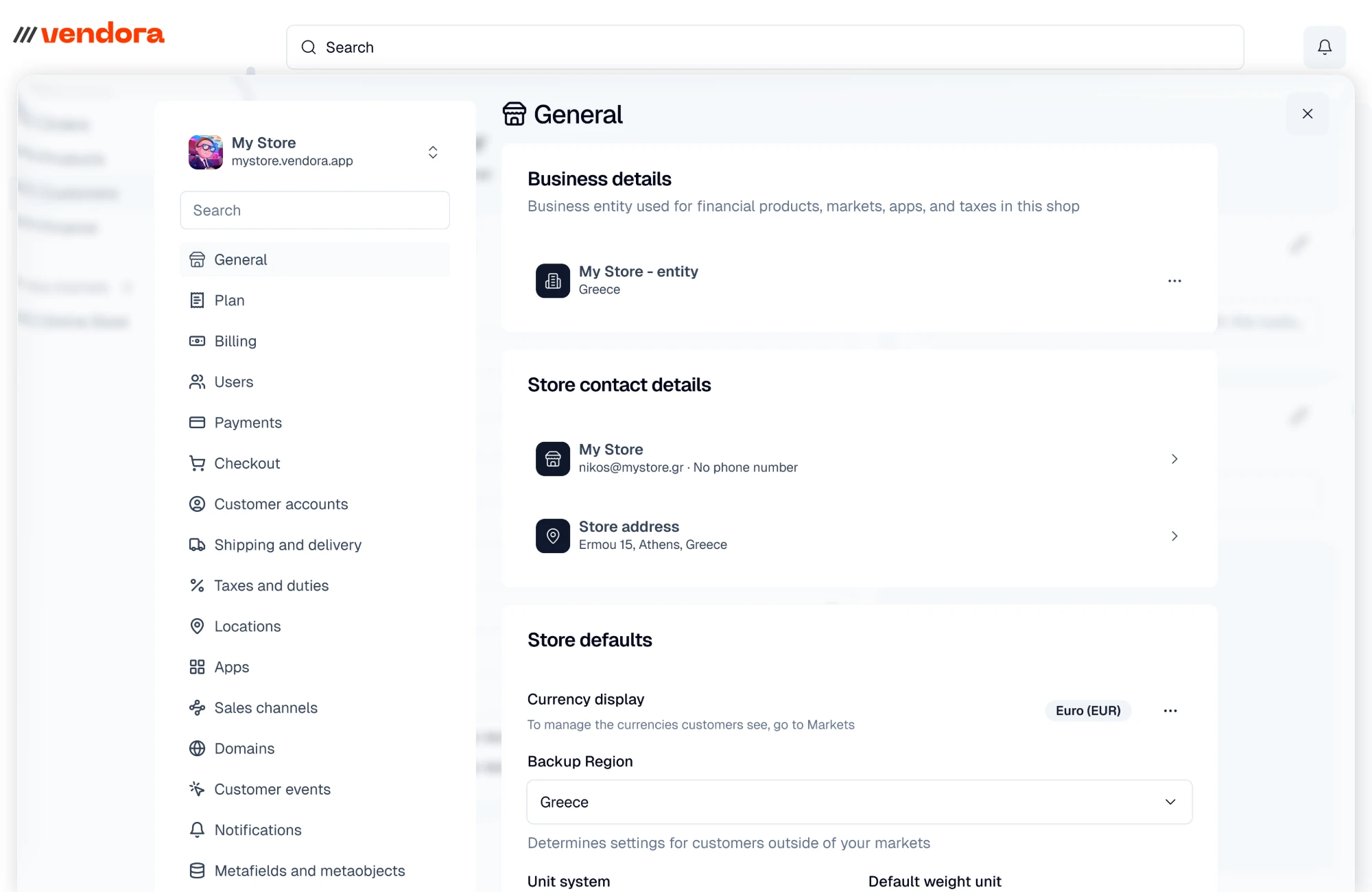
A new store starts with an email and a 6-digit code, or a Google or Apple account, and the trial's terms are on screen before anything is asked. Settings open as a sheet over the panel rather than a page of their own, with their own search and navigation, from plan and billing to domains and notifications.
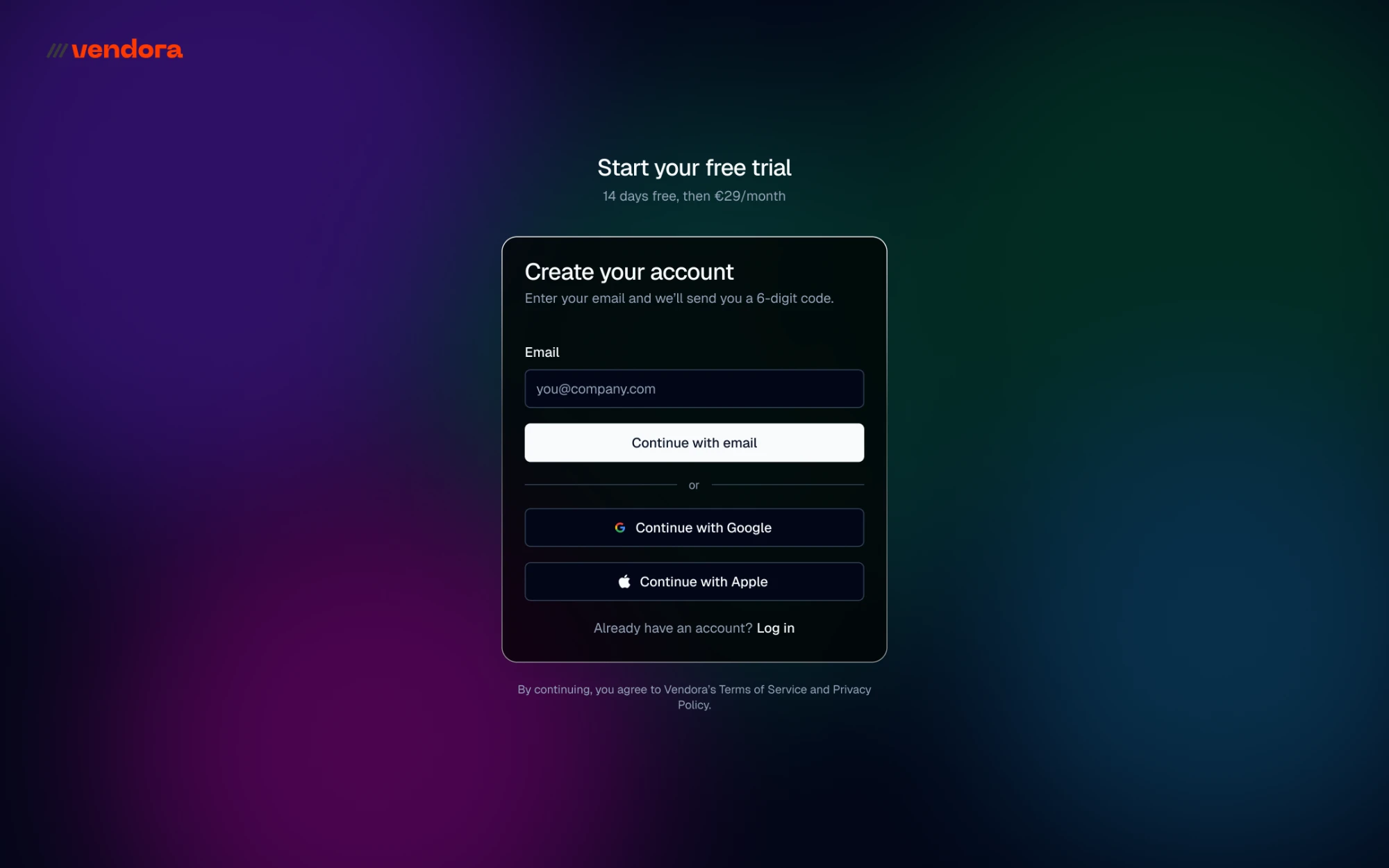
Vendora sign-up — start a free trial with an email and a 6-digit code, or with Google or Apple
01 · sign-upNo password to invent: an email and a code, or Google or Apple.
Vendora settings, General — business details, store contact details and store defaults, open over the merchant panel
02 · settingsGeneral: the business entity, the store's contact details and address, and its defaults.
// system at a glance
55+
production components
4
theme modes (light/dark × two bases)
1,500+
icons in the set
1,900+
crypto token symbols
70
chain logos
37
wallet logos
// next project
Sharif University · AICT
Design strategy for complex AI infrastructure platforms.
View →